Introduction
Recently, I had Codex refactor a project’s testing module. I set up the tasks and threads, and Codex began its work while I sat there watching it modify files one by one.
After twenty minutes, I went to get a cup of water. When I returned, it was still running. Ten minutes later, I started scrolling through my phone, thinking: why do I have to sit in front of my computer while it’s doing the work?
Now, that’s no longer necessary. OpenAI has integrated Codex into the ChatGPT mobile app.
The preview is now live on both iOS and Android. All ChatGPT users can access it, including those on the free and Go plans.
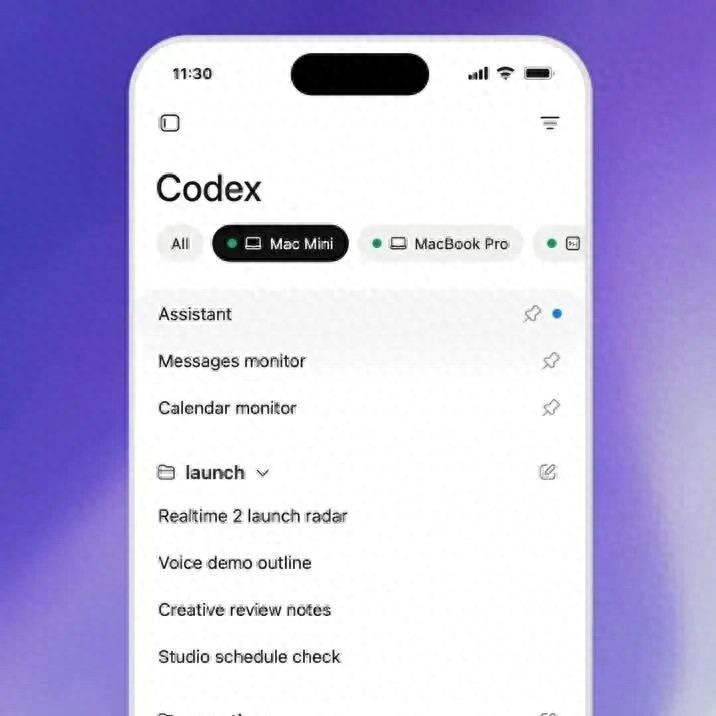
Not for Writing Code on Mobile
First, let’s clarify a common misconception: using Codex on mobile does not mean writing code on a 6-inch screen. The actual Codex is still running on your laptop, Mac mini, or devbox. The mobile device is merely a remote window.
What You Can Do:
- Monitor Progress: See which file Codex is currently modifying and its progress at a glance.
- Review Diffs: Check what code has been changed, added, or removed directly on your phone.
- View Test Results: Know whether tests have passed or failed without needing to open your computer.
- Approve Next Steps: Approve actions that require your input with a simple tap on your phone.
- Change Directions: If you realize something is wrong mid-task, you can modify instructions directly from your phone.
What You Cannot Do:
- Open local files on your phone. Files, credentials, and permissions remain on the original machine and are not uploaded.
- Run new Codex instances on your phone. The mobile device acts as a remote control, not a host.
In short, it’s like a walkie-talkie. The work is done by the computer, and you communicate via your phone.
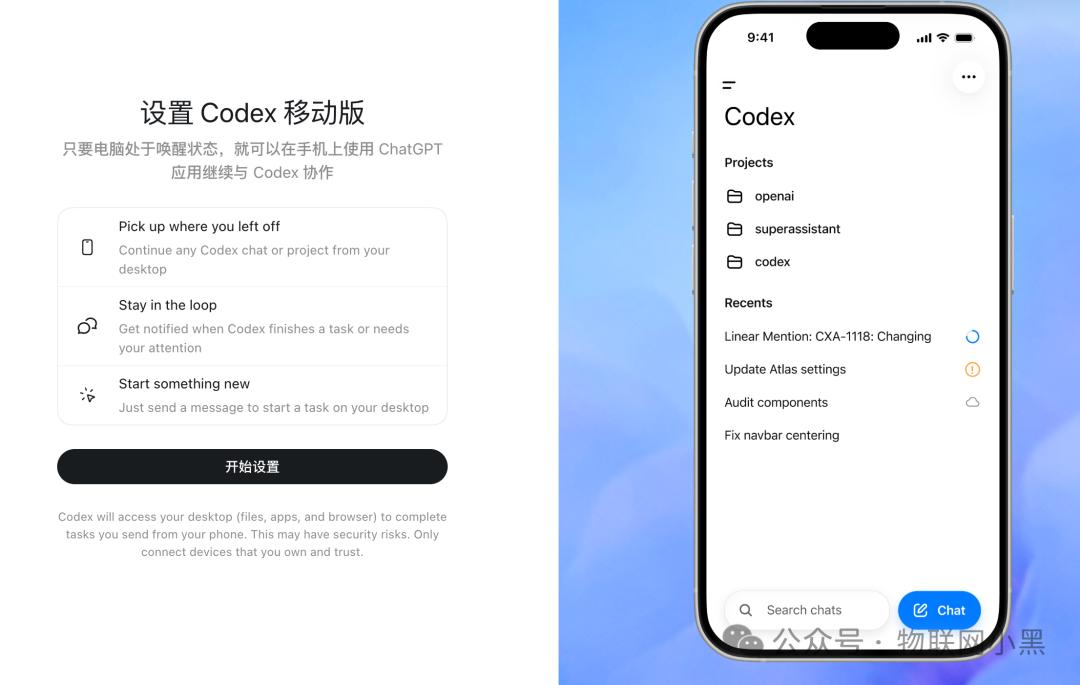
How It Works
You might wonder how your phone connects when your computer isn’t exposed to the public internet. OpenAI has implemented a secure relay service. Both your computer and phone connect to an intermediary node managed by OpenAI, which facilitates data transfer.
Your machine does not need to be exposed online, nor do you need to configure port mappings. Wherever you log into ChatGPT, your session state and context follow you. You can check your phone on the subway and then return to your office to continue working without interruption.
Code files are not transferred to your phone. What your phone displays is a rendered state—diff views, terminal outputs, and screenshots. The original files remain securely on your machine.
This design approach is sensible. If code were synced to your phone, issues like permission management, file conflicts, and offline editing would arise. It’s better to use your phone as a mirror to observe the work.
Why Now?
4 million. This is the number of weekly active users for Codex, as reported by OpenAI. Two weeks ago, it was 3 million, indicating rapid growth.
As more people use it, more issues arise. Agents are becoming increasingly capable, and tasks are getting longer. Previously, Codex would complete tasks in two or three minutes, but now it’s common for more complex tasks to take tens of minutes or even hours.
You can’t just sit in front of your computer all the time. You might be in a meeting while the agent runs in the background, or eating lunch while the agent continues its work. When it reaches a point that requires your approval, it waits for you to return.
This is inefficient.
The mobile solution addresses one core issue: decoupling the user from the agent. The agent does its work while you attend to your tasks. When it needs your input, your phone will notify you, allowing you to approve or change directions and continue.
This need wasn’t just a spontaneous idea from OpenAI; it’s a common scenario for many of the 4 million users.
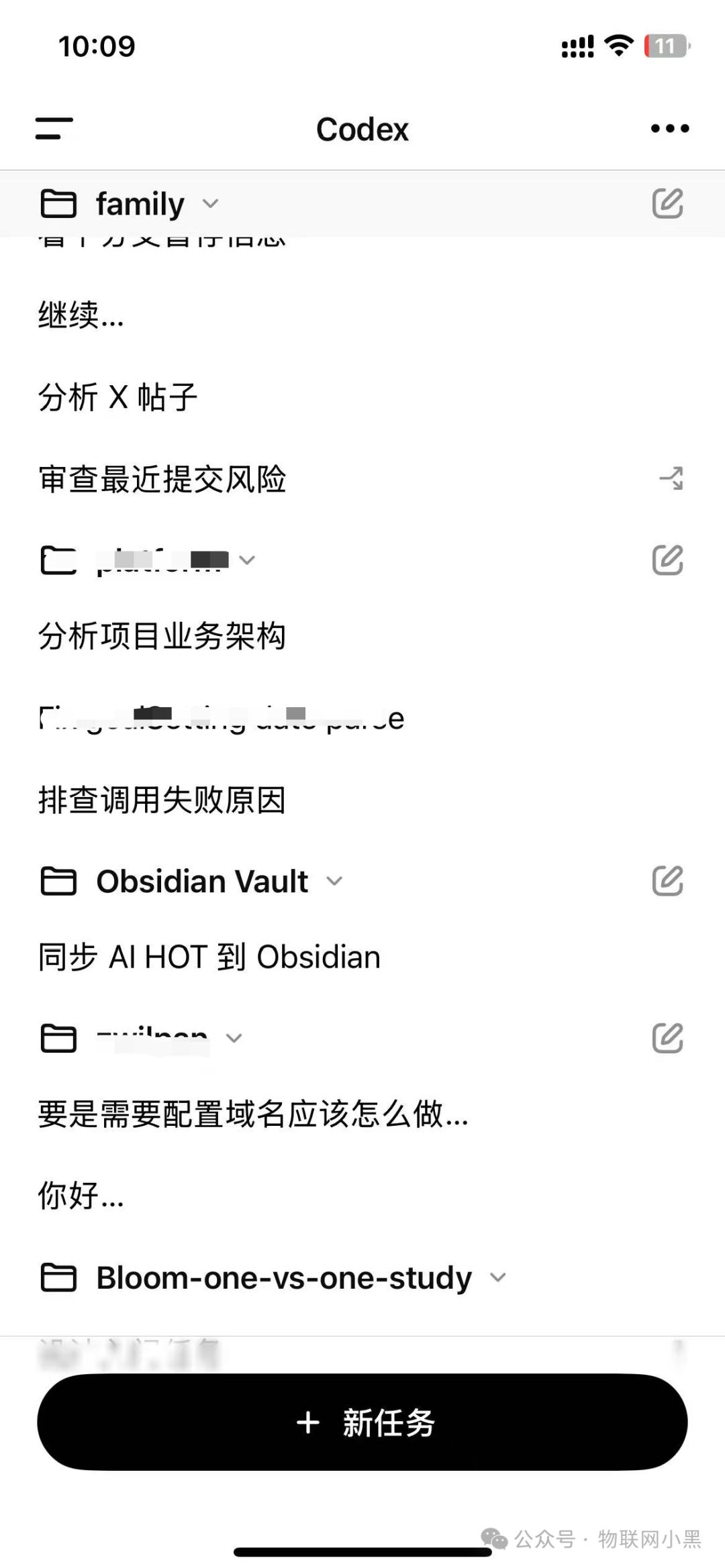
A Limitation to Note
Currently, the mobile app can only connect to Codex running on macOS. Windows users are not supported at this time. OpenAI has stated that support is coming “soon,” but in this industry, that term can mean anything from next week to next quarter.
If your primary machine is Windows, you’ll have to wait. Alternatively, if you have a Mac mini gathering dust, you can repurpose it as a dedicated Codex agent machine.
Claude Did It First, OpenAI Is Catching Up
This discussion wouldn’t be complete without mentioning Anthropic. Claude Code has supported remote viewing and intervention on mobile since last fall. Later, they introduced a feature called Dispatch, which is nearly identical in concept to what Codex has implemented—using the phone as a remote control while the work runs locally, allowing users to monitor progress and approve actions.
Thus, Codex is playing catch-up rather than innovating.
However, while catching up, OpenAI has expanded the capabilities. The Codex mobile app can connect not only to your laptop but also to devboxes and remote enterprise environments via remote SSH access. This allows enterprise users to monitor agent tasks running on cloud development machines from their phones.
This aspect is something Claude’s Dispatch currently does not fully cover, as Dispatch primarily connects to local desktop environments, with support for enterprise remote environments still in its early stages.
In terms of first-mover advantage, Anthropic has won. In terms of coverage, Codex has caught up and even taken a step further in the enterprise direction.
The Super App Puzzle
Another easily overlooked signal is that OpenAI did not create a separate app for Codex on mobile. Instead, it has been integrated into the main ChatGPT app.
While the desktop version is a standalone Codex application, the mobile version has merged into ChatGPT. This is not a sign of laziness but a deliberate choice.
OpenAI has previously hinted at a “super app” roadmap—integrating ChatGPT, Codex, and the Atlas browser into a unified entry point. Opening one app would allow users to chat, write code, browse the web, and manage agents.
The mobile integration is the first step in testing this direction.
From a user perspective, this is the right move. You wouldn’t want to install three or four different OpenAI apps on your phone and switch between them. A single entry point to handle everything is what a mobile experience should be.
However, the ChatGPT app is becoming increasingly bloated. With chat, image generation, voice interaction, and Codex monitoring, and potentially a browser added in the future, the more features packed in, the harder it becomes to design interactions effectively. Balancing this will be crucial for future versions.
Conclusion
The integration of Codex into mobile addresses a real problem. When agents run long tasks, you need a portable window to check in.
This need will only grow stronger. As agents become more capable and tasks longer, you cannot expect to sit in front of your computer waiting.
However, the mobile app is ultimately just a remote control. It does not change the capabilities of Codex; it merely makes the existing experience smoother.
If you’re already using Codex, try updating the ChatGPT app today. Next time an agent runs a long task, you can finally stand up and move around.
If you haven’t used Codex yet, this feature won’t mean much to you. First, understand how to use Codex itself; the mobile app is just an added bonus.
Comments
Discussion is powered by Giscus (GitHub Discussions). Add
repo,repoID,category, andcategoryIDunder[params.comments.giscus]inhugo.tomlusing the values from the Giscus setup tool.